10 Home Robotics Buying Tips for Global Buyers
Home robotics is no longer a distant idea. Robot vacuums map rooms, lawn robots follow boundaries, and companion devices respond to voice commands. Yet a polished demo cannot tell you whether a machine will handle your home’s rugs, stairs, pets, or patchy Wi-Fi.
The International Federation of Robotics’ World Robotics 2024 report says nearly 20 million consumer service robots were sold in 2023, an 11% increase over 2022. Cleaning robots made up the largest category. That growth signals wider adoption, but it does not prove that every device offers lasting value. Bill Gates captured the broader shift in his 2007 Scientific American article, “A Robot in Every Home”: “The robotics industry is developing in much the same way that the computer business did 30 years ago.” The comparison is useful, though household robots still have very practical limits.
A better purchase starts with your actual routines. Measure doorways, check floor transitions, and confirm which regional models receive local service. Compare battery life, replacement-part costs, app requirements, privacy controls, and warranty coverage—not just advertised features. Ask whether the robot works without a cloud connection. Check how easily brushes, filters, or batteries can be replaced. Small details matter.
This guide presents 10 home robotics buying tips for global buyers. It focuses on fit, support, safety, and long-term ownership across different markets. Some needs are easy to overlook. That is exactly why comparison matters. A robot should earn its place in your home, not just look impressive in a product video.
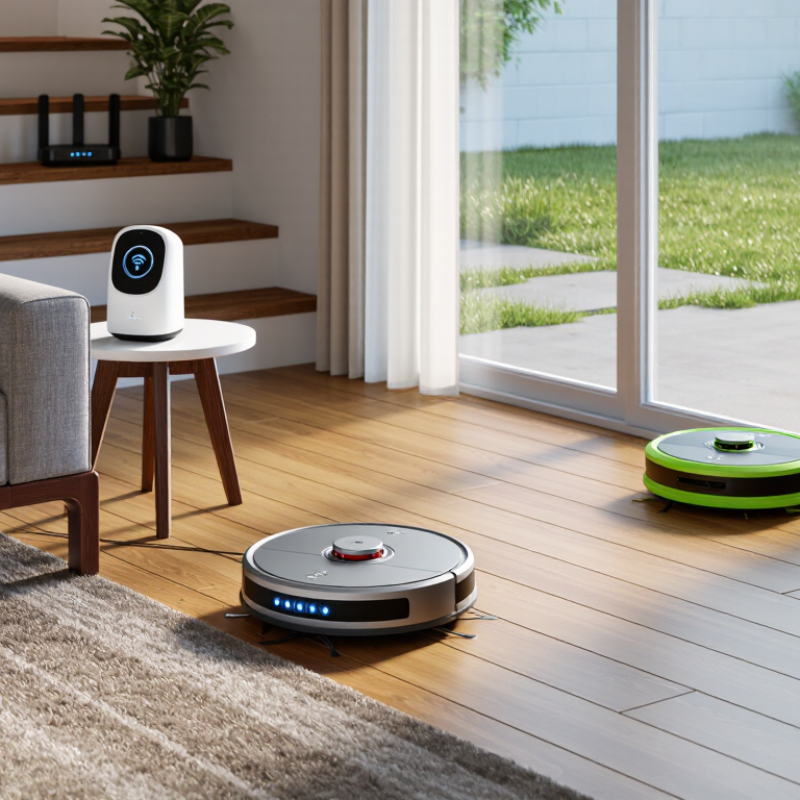
Understanding Home Robot Types and Their Everyday Uses
Home robots are designed for different routines, not one universal job. Floor-cleaning models handle dust, crumbs, and scheduled vacuuming, while lawn and pool robots work outdoors. Companion and educational robots focus on interaction, reminders, or simple learning activities. The categories overlap. The International Federation of Robotics reported 19.1 million consumer service robots sold in 2023; domestic-task robots accounted for about 11.2 million. These figures show how strongly everyday chores shape the home-robot market.
Match the robot to the room and the task. A mapping model may struggle with loose cables, dark rugs, or chair legs, so check how it navigates clutter. For lawn use, consider slopes, wet grass, and where the unit will recharge. Small details matter. Buyers in different regions should also check plug compatibility, app-language support, replacement-part access, and whether the robot needs a stable internet connection. Privacy deserves attention when a device uses cameras or microphones. One caveat: advertised time savings may not include setup, maintenance, or rescuing a stuck robot. A robot can help with a routine, but it may also create a new one.
Matching Robot Capabilities to Household Needs
Match the robot to a recurring household task, not an impressive feature list. A vacuuming model may suit an open apartment, but struggle with a thick rug, loose cables, or a raised doorway. Measure first. For a home with pets, check hair pickup and brush-cleaning access. For multiple floors, confirm whether it can manage stairs; most floor-cleaning robots cannot.
The International Federation of Robotics’ World Robotics 2024 report recorded about 19 million consumer service robots sold in 2023, with domestic tasks making up most of this market. That figure signals broad adoption, not guaranteed performance in every home. A robot that works well on clear tile may stall beside a dark rug or miss crumbs under low furniture. Check independent test results for the surfaces and obstacles you actually have.
Also compare runtime, noise, and upkeep with your routine. A small dustbin can mean frequent emptying in a home with shedding pets. Check how the robot handles maps, room boundaries, and stored household data, and read the privacy policy before connecting it to an account. Test return and repair terms in your destination market. One overlooked detail: replacement parts may be harder to source than the robot itself.
Comparing Navigation, Connectivity, and Automation Features
Navigation is easiest to judge in a lived-in room, not an empty showroom. Look for repeatable room maps, reliable docking, and sensible responses to chair legs or a dark rug. Camera-based systems may identify objects, while lidar-based systems often map rooms in low light; results still depend on layout and upkeep. Before buying, check whether maps can be edited and whether the robot resumes after being moved. Watch it work.
Connectivity affects daily use as much as sensors do. Confirm the app supports your phone, provides clear status alerts, and makes routine tasks easy to start. Wi-Fi can fail. Check whether schedules continue offline and whether basic controls remain available. Automation is useful when it stays adjustable. Room routines, no-go zones, and quiet-hour settings can keep a robot away from pet bowls at 6 a.m. Compare how easily these rules change, and whether software updates affect saved settings. I would not assume the most automated model is best; extra features can mean more setup and troubleshooting. Test your own floor plan if possible.
Checking Regional Compatibility, Safety, and Privacy Standards
Before ordering a home robot, check whether its charger matches your region’s voltage, frequency, and plug type. Confirm that its app supports your language and that its Wi-Fi requirements work with your home network. A device that connects only to a limited network band may struggle behind thick walls. Ask the seller for the operating manual and regional safety documentation. Requirements can differ by destination, so verify them with relevant local authorities.
Tips: Test safety features in the room where the robot will operate. Check obstacle sensors around chair legs, stairs, and pet bowls. Find the emergency stop and make sure you can reach it quickly. A glossy product video cannot show every edge case.
Tips: Read the privacy settings before connecting the robot. Check whether cameras or microphones are included, where recordings are stored, and how long data is kept. Look for options to disable recording or delete stored information. Set a strong, unique account password. It is easy to overlook privacy when setup takes only a few minutes. I would still review those controls after installation; the menus are not always as clear as they should be.
Home Robotics Buying Tip: Check Regional Power Compatibility
Compare a robot’s power adapter input range with the mains supply where you plan to use it. These are typical nominal values; supply specifications can vary by country and locality. Check the product label and local requirements before buying. Japan uses both 50 Hz and 60 Hz, depending on the region.
Evaluating Total Cost, Warranty, and Global Support
A low purchase price can hide expensive ownership. Compare the robot, replacement batteries, filters, brushes, shipping, and likely service fees over three years. The International Federation of Robotics’ World Robotics 2024 report recorded 5.1 million consumer service robots sold in 2023, an 11% increase. That growth makes spare-part availability worth checking before purchase. Ask whether common parts are stocked near your country, or shipped from another region. A delayed brush is annoying; a failed battery can sideline the whole unit.
Read warranty terms line by line. Check coverage length, battery exclusions, labor charges, return shipping, and whether coverage applies in your country of purchase. IFR also reported 205,000 professional service robots sold in 2023, up 30%; this is a different market, but it signals expanding service-robot adoption, not guaranteed household support. Ask support to confirm response times, repair locations, and diagnostic options in writing. Keep the reply. A warranty that requires costly overseas shipping may be less useful than it looks. One detail buyers can overlook: local plug adapters do not prove local repair capability. And support pages can be outdated. Verify them before paying.